Legal and data Privacy
How do I opt-out from all Arbolus communications?
written by
Arbolus Support
published on
If you’d like to opt-out from Arbolus communications for now (or until a future time to choose to opt back in) you can use the ‘deactivate account’ function.
Opt-out
Once logged in to your Arbolus Expert account you can opt-out of Arbolus communication by using the ‘deactivate account’ option in your Expert account.
To deactivate your account
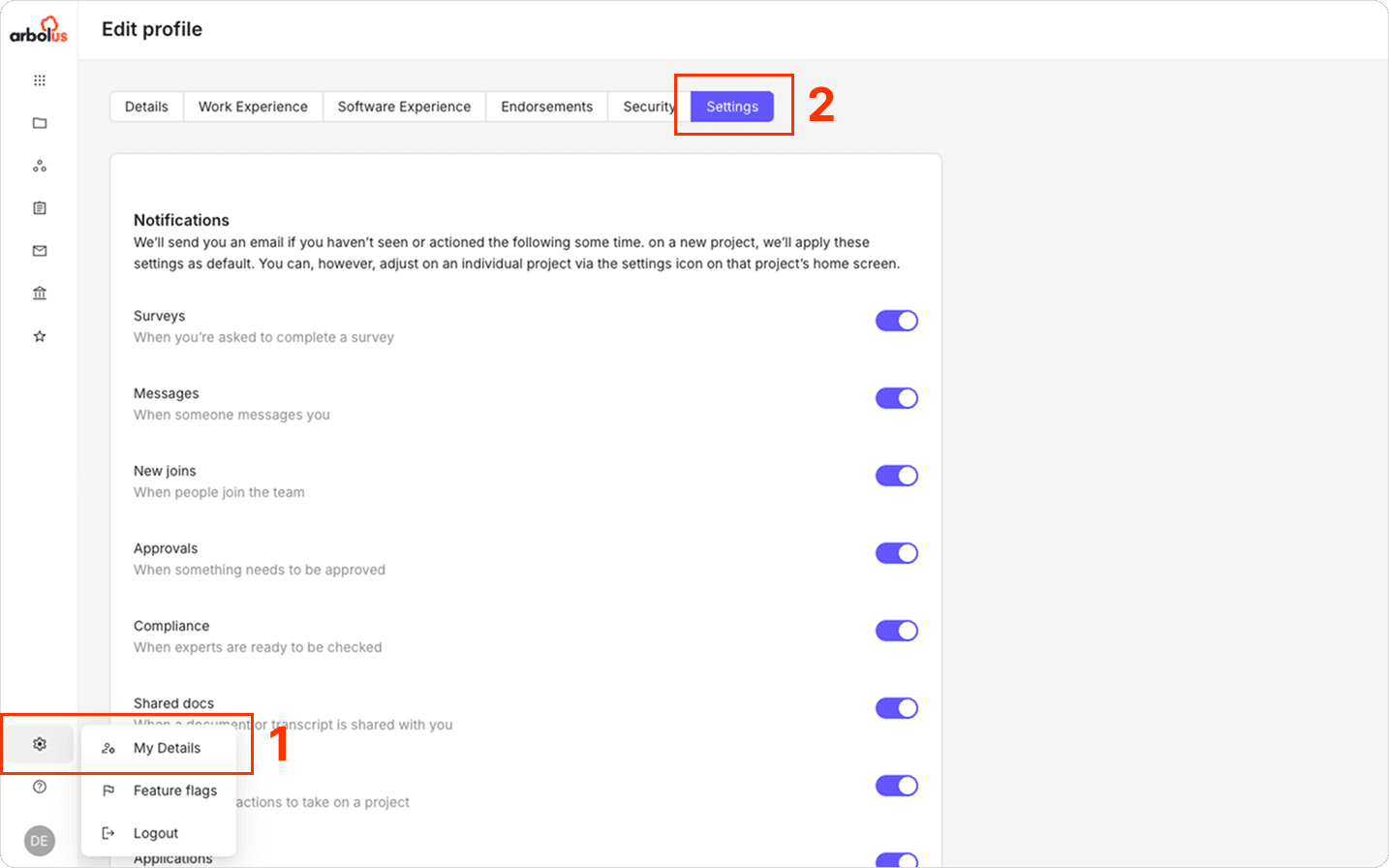
Click the settings cog in the lower left corner
Click ‘My Details’
Click ‘Settings’ tab
Scroll down to the bottom and click ‘Deactivate Account’.
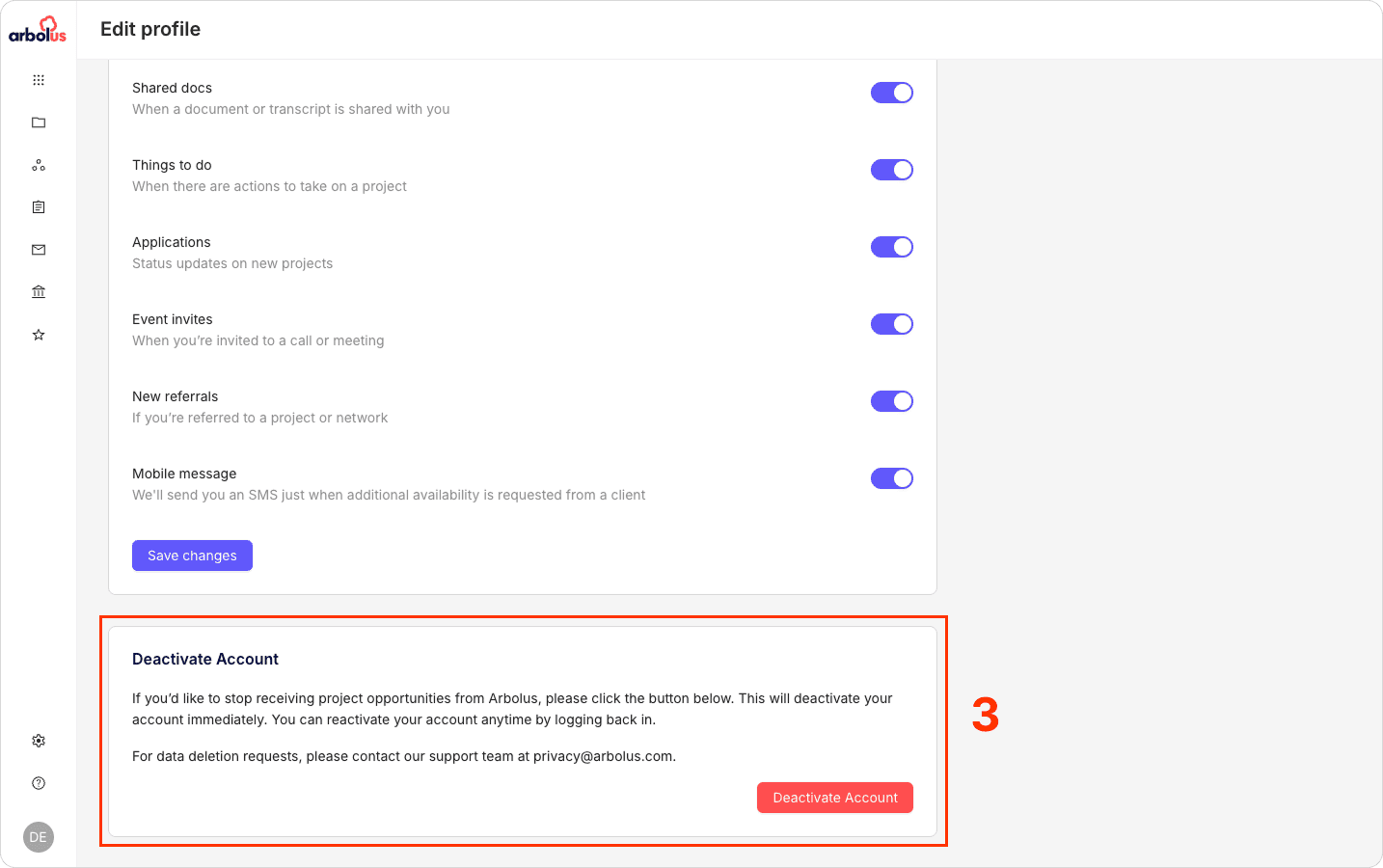
If you deactivate your account, you will be opt-ed out of all communication from Arbolus, meaning:
We will not communicate with you via telephone call
We will not communicate with you via SMS, iMessage, or Whatsapp
We will not communicate with you via LinkedIn
We will not communicate with you via email
We will not consider your suitability for any projects that we are facilitating.
Please note that in some limited circumstances it may take a few days for your communication preferences to be updated in all Arbolus systems.
To re-activate your account you can simply log back into your Arbolus Expert account, which will re-activate your account. Otherwise, contact privacy@arbolus.com
Alternatively you can request opt-out or request erasure of your Arbolus Expert account or enforce your UK GDPR, GDPR, or other data privacy rights by contacting privacy@arbolus.com.
This article is intended for experts, make sure you are in the right place.